
hs

HubSpot


HubSpot x Lumo

Turn LINE followers into HubSpot contacts and message them from workflows

Many teams keep their LINE follower data in the LINE back office, so it never matches a HubSpot contact, and marketing, sales, and service each see a different record. HubSpot x Lumo matches LINE followers to HubSpot contacts, writes interactions back to the contact record, and lets you send LINE messages directly from HubSpot workflows.

bubblekit-hubspot-lumo-banner

How it works

LINE conversations and behavior, recorded on the HubSpot contact

Lumo handles the LINE side: follower management, message sending, and auto-replies. HubSpot handles contacts, workflows, and reports. Hububble sets up the connection between the two, so follower data, interactions, and automations all use the same contact record.

One contact record

Followers and contacts share one record

Once a LINE follower completes identity verification, they are matched to the existing HubSpot contact automatically. Once matched, marketing, sales, and service see one complete record for each customer in HubSpot, without comparing two contact records.

Data sync

Contact data stays consistent

Basic contact data and custom properties sync in both directions between Lumo and HubSpot. When either side is updated, the other follows, so marketing, sales, and service don't maintain the same customer's data in two systems.

Automation

Let workflows handle routine interactions

Welcome messages after a follower joins, confirmations after a form submission, reminders the day before an appointment, and check-in at an event all happen every day. Workflows can run them automatically, so your team doesn't send each one by hand and nothing gets missed.

CRM timeline

Every interaction is logged on the contact timeline

When sales or service gets a question from a customer, they can read the earlier LINE conversation on the contact page, including the customer's messages and what marketing has already sent, without asking marketing.

About Little Help Connect
partner-badge-lumo

A software company focused on connecting LINE and HubSpot

Its product Lumo is a LINE marketing platform, with follower management, segmented broadcasts, automation journeys, one-to-one customer chat, and rich menus.

Little Help Connect

hubspot-app-parnter-badge

Features

Send and manage LINE messages in HubSpot
bubblekit-lumo-feature1
Automation

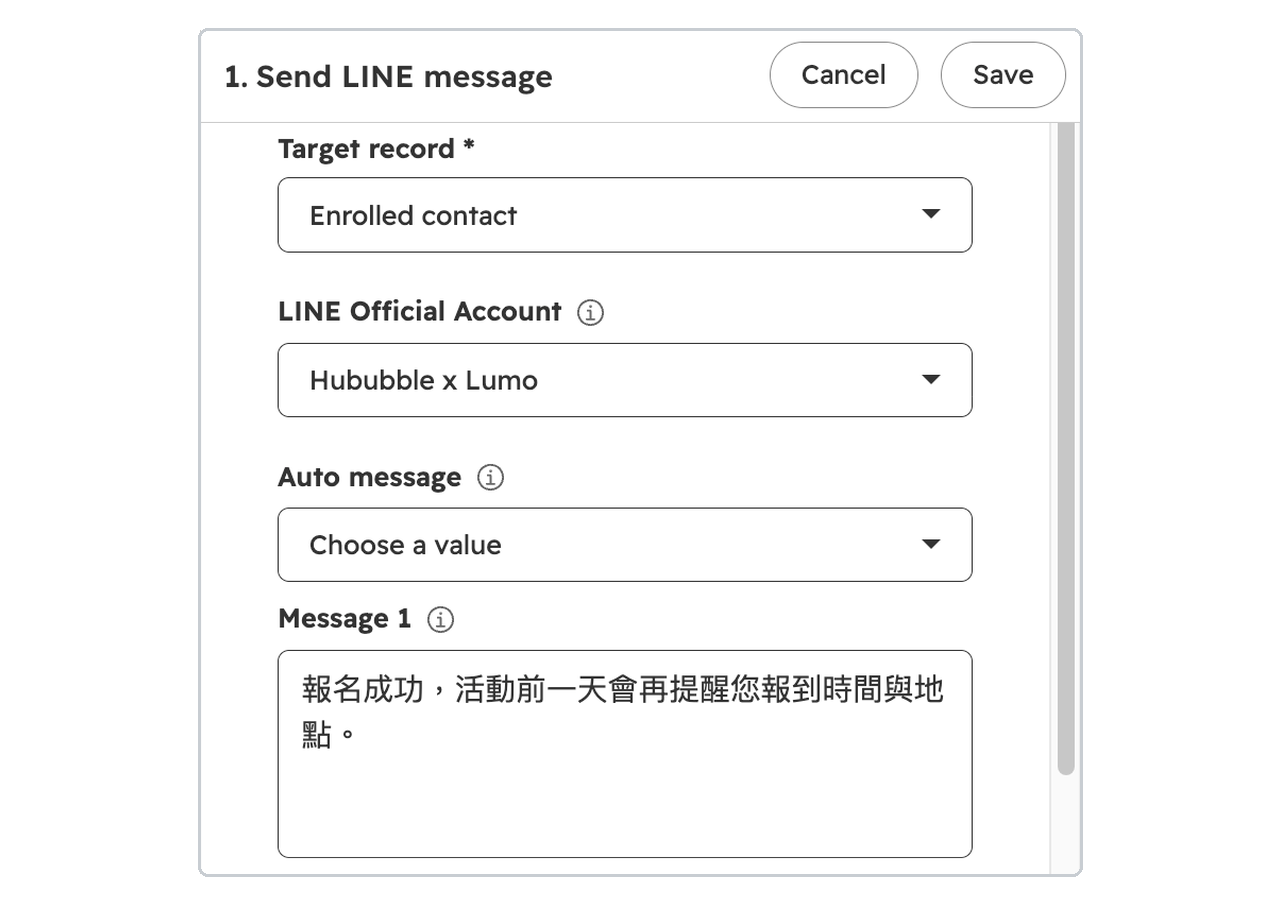
Send LINE messages from workflows

Add Lumo actions directly in a HubSpot workflow.

  • Send a LINE message

    Send a LINE message to a contact when the workflow trigger is met. The message can include HubSpot contact properties such as the contact's name, so each customer receives a message written for them.

  • Update LINE rich menu

    Switch to the rich menu reserved for a membership tier, based on the segment a contact belongs to. For example, regular members and VIP members each see their own menu.
bubblekit-lumo-feature2
Data sync

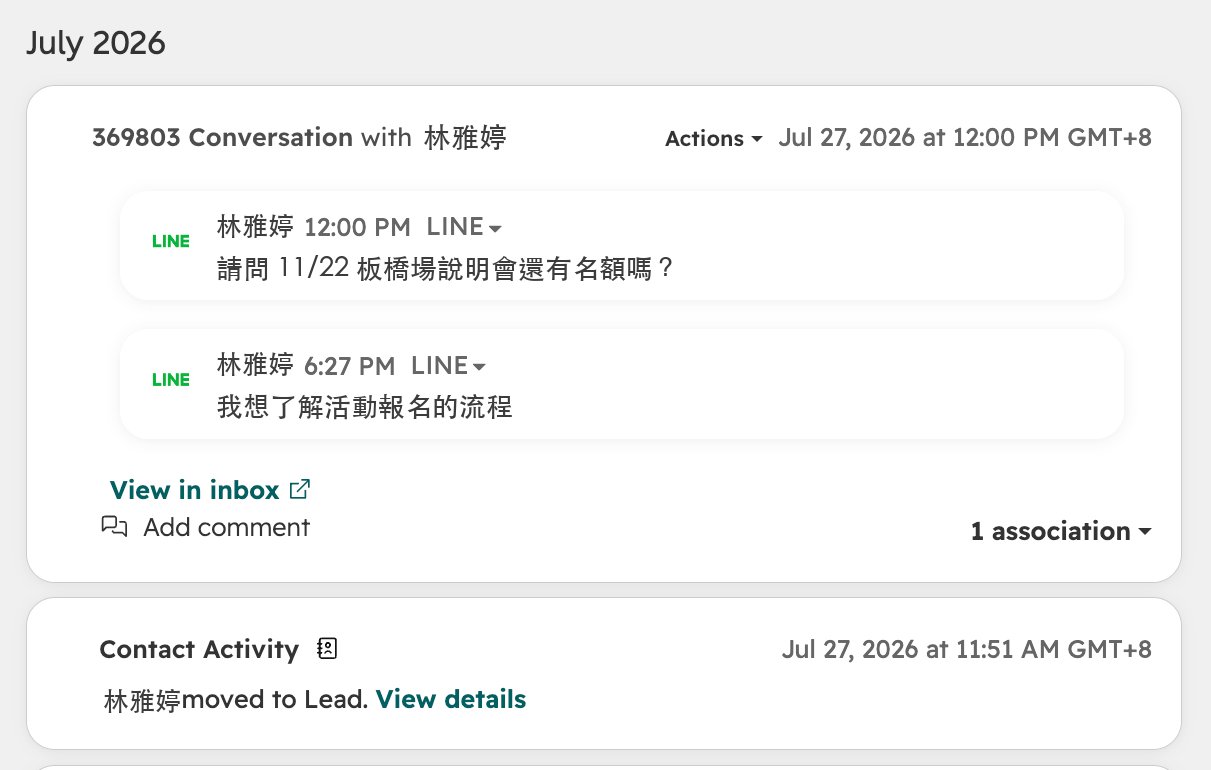
LINE data synced to HubSpot

Once LINE followers are matched to HubSpot contacts, LINE data is written to HubSpot. Marketing, sales, and service can look it up in HubSpot and use it for lists and reports.

  • Follower-to-contact matching

    When a follower leaves an email address in LINE, the follower is matched to the existing HubSpot contact automatically, and the follower's LINE interactions and data are merged into that contact.

  • Contact timeline

    The log includes messages from followers, and broadcasts, automations, and one-to-one messages sent through Lumo.

  • Follower source

    Whether a follower joined from a landing page, social media, a seminar, or a QR code is synced to HubSpot.

  • Forms and bookings

    Send HubSpot forms and meeting booking links through LINE, and responses go straight into HubSpot.
bubblekit-lumo-feature3
HubSpot Inbox

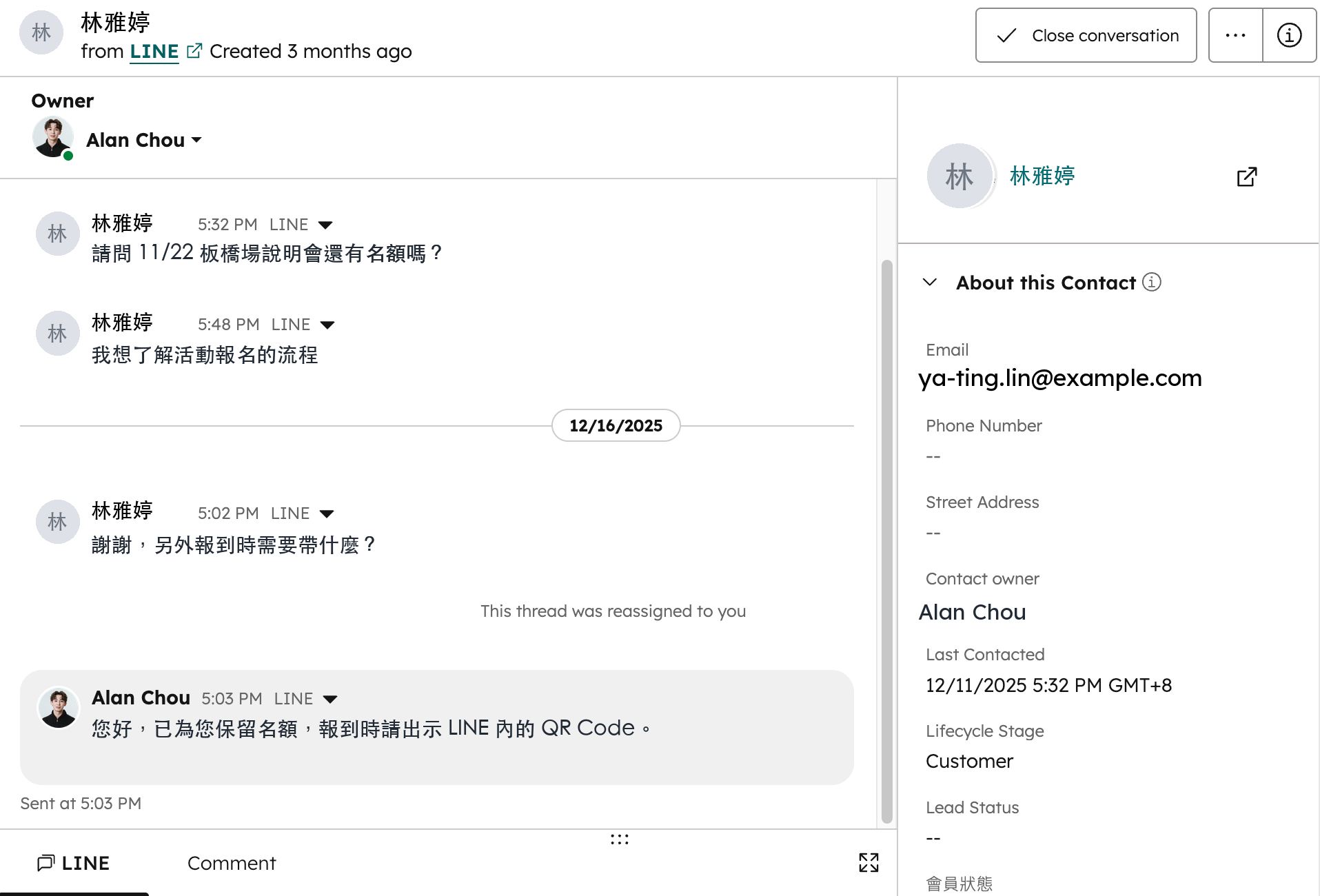
Manage LINE chats in HubSpot Inbox

LINE messages come into HubSpot Inbox, so service and sales don't need to log in to the LINE back office.

  • Handle LINE chats as a team

    Once LINE messages reach HubSpot Inbox, service and sales can assign an owner, discuss with internal comments, and reply to the customer in one inbox, without logging in to the LINE Official Account back office. The conversation history is saved on the contact.

  • See customer data before you reply

    The contact's HubSpot data appears next to the conversation, including lifecycle stage, owner, and last contacted date, so you don't have to switch to the contact page.


dl-banner-bg-desktop dl-banner-bg-mobile

Find out which LINE scenarios to connect with HubSpot

We'll first confirm your HubSpot and Lumo plans, then provide an implementation quote based on the number and complexity of scenarios.

Book a consultation
bubblekit-lumo-cta-desktop bubblekit-lumo-cta-mobile

FAQ

Frequently Asked Questions

What is HubSpot x Lumo, and who is it for?

HubSpot x Lumo matches the followers of your LINE Official Account to HubSpot contacts. It suits marketing, sales, and service teams that already use HubSpot and talk to customers on LINE.

Which plans do I need?

Sending LINE messages from HubSpot workflows, and sending HubSpot forms and booking links through LINE, requires the Lumo Business plan or above, and your HubSpot plan must include workflows. Tell us your current HubSpot and Lumo plan names and we'll confirm whether they qualify.

How is pricing calculated, and what does setup include?

Pricing has two parts. The first is the Lumo monthly fee, which Lumo bills to you. The second is Hububble's implementation fee, quoted by the number and complexity of scenarios. Scope depends on the scenarios, and includes HubSpot-side configuration, testing and acceptance, team training, and a user guide. LINE Official Account and HubSpot subscriptions are not included and are paid separately.

Do LINE messages count toward usage, and will HubSpot have a record?

Broadcasts, manual one-to-one messages from the inbox, and pushes sent after a delay in an automation journey count toward your Lumo message sending quota. Messages from followers to Lumo, and Lumo replies (Reply messages), don't count.

Messages sent through Lumo, and messages from followers, are written to the HubSpot contact timeline. Replies sent from the LINE Official Account back office don't reach Lumo or HubSpot. To keep a record, reply from Lumo or HubSpot Inbox.

Can I use it without technical skills?

Yes. We provide training and a user guide during setup, and day-to-day message sending and automation need no coding. Welcome messages, auto-replies, rich menu content, and broadcast campaigns are set up by your team in Lumo.

Contact Us

Let's Make It Happen!

CTA Image
CTA Image
CTA Image